By default, all orders are instant market orders. You can change an order to a limit or stop order. When conditions are met, a pending order will be placed.

Example: Send a limit order 20 pips below the current price on moving average crossover
First, set a limit order at Bid price.

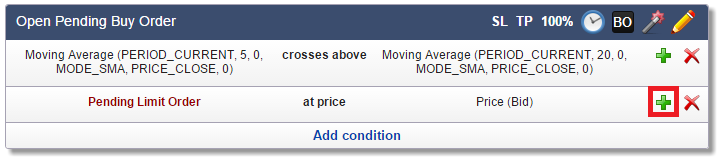
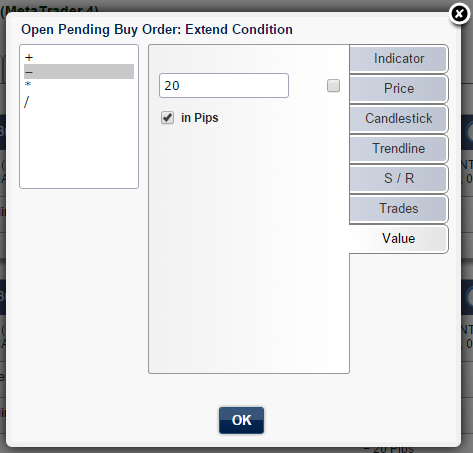
Extend condition and subtract 20 pips.
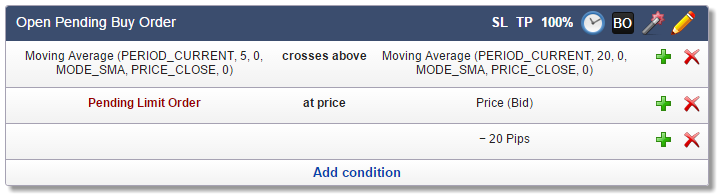
That's it. You can combine market and pending orders as seen in the previous topic.
Another example of using pending (stop) orders can be seen in the video tutorial Daily Breakout With Pending Orders.
 Remember:
•Buy-Limit orders are below the current price
•Buy-Stop orders are above the current price
•Sell-Limit orders are above the current price
•Sell-Stop orders are below the current price
If a pending order is set to an incorrect price (e.g., a Buy-Limit order above the current price), it fails with the error "invalid stops". The same error appears if a pending order is too close to the current price. As with Stop Loss, some brokers do not allow pending orders closer than 10 pips to the current price. The Price Too Close feature in the Common tab solves this issue.