
By default, each order is opened with lot size as set in Money Management. You can set a fraction of the default lot size for a particular order.
Example: Send a limit order along with the market order, each with 50% of normal position size
In the following example, we send two buy orders – one market order and one pending order:
•Buy when Moving Average (Period: 5) crosses above Moving Average (Period: 20). Use 50% of normal position size.
•At the same time, send a limit order 20 pips below the current price. Use another 50% of normal position size.
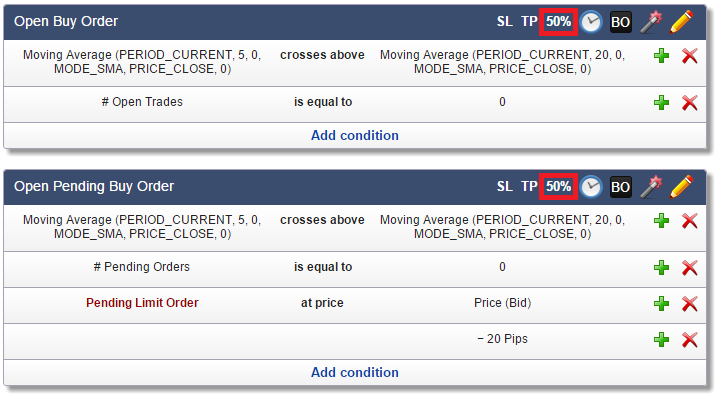
Note that we use trade functions to avoid opening multiple trades or pending orders.