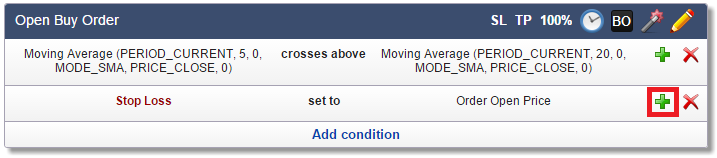
Click on SL to set the Stop Loss for the corresponding order. Each order can have a different Stop Loss.

 The minimum Stop Loss allowed by many brokers is 10 pips. Otherwise, setting Stop Loss may fail with the error "invalid stops". The Price Too Close feature in the Common tab solves this issue.
Example: Set Stop Loss to 50 pips
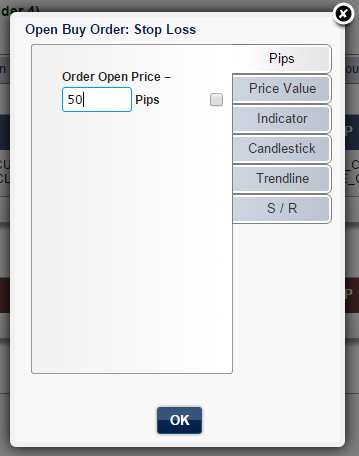
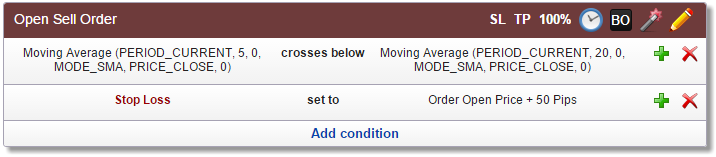
The actual price value of the Stop Loss is the Order Open Price minus 50 pips.
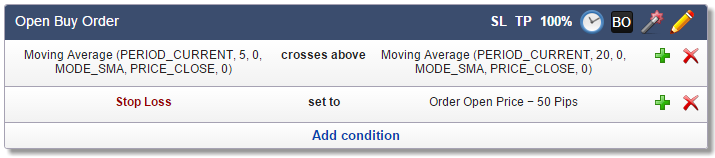
For Sell Order, it is the Order Open Price plus 50 pips.
Example: Set Stop Loss to the previous day's low
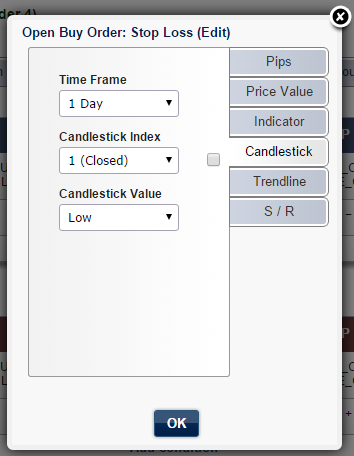
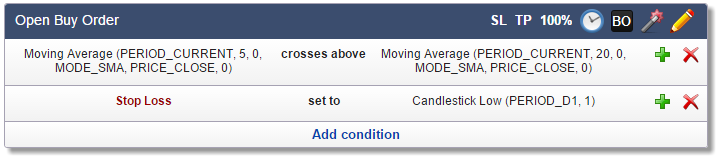
You will find more information about candlesticks in the Candlestick topic.
Example: Set Stop Loss to the lowest low of the last 12 bars (including the current bar)
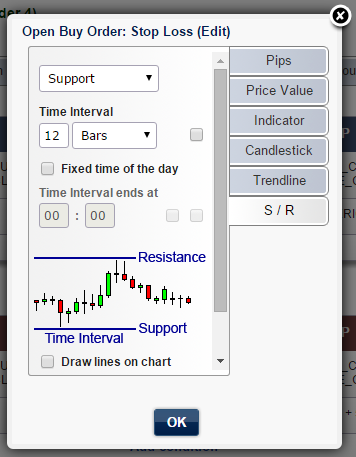
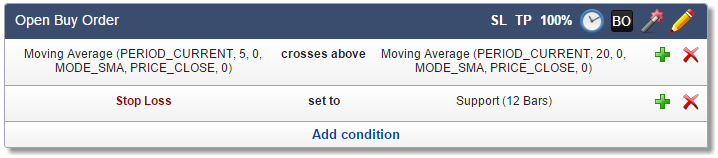
Stop Loss at Support/Resistance is also used in Daily Breakout Strategy.
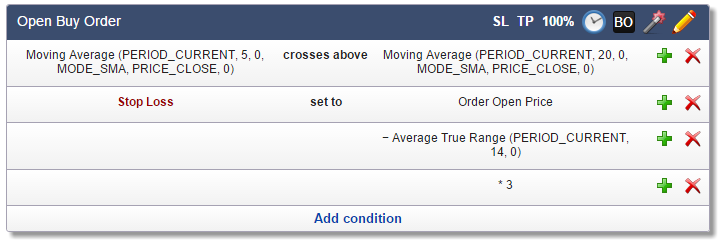
Example: Set Stop Loss to Open Order Price minus ATR * 3
(ATR is the Average True Range indicator)
SL set to ATR * 3 would be wrong because the formula ATR * 3 does not represent a price value (ATR is the average range of the last few candlesticks). Therefore, it is important to start with the Open Order Price.
First, we need to enter just the Open Order Price. Enter zero Pips.

Now, extend condition to subtract the ATR and then extend it again to multiply by 3.