Click on the Download button to download the source as a file.

Depending on your browser, it will either download to your predefined location or a popup window will ask where to save it.
You now have to move the downloaded file to the correct location. In MetaTrader 4, open the folder via File -> Open Data Folder.
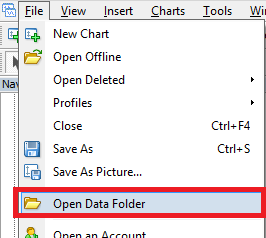
Open the folder MQL4/Indicators.


This is the folder where all custom indicators are located. Move your custom indicator into this folder.
Restart MetaTrader 4.
The indicator will appear in the Navigator window under Indicators on your MetaTrader platform.
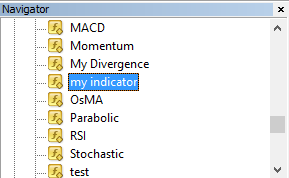
 Remember: indicators go to MQL4/Indicators while strategies (Expert Advisors) go to MQL4/Experts.