There are two options for where to display the indicator.

•Indicator In Chart Window will paint in the current price chart you attach the indicator to. Examples: Moving Average, Up/Down Arrows.
•Indicator In Separate Window will generally show up below the current chart. Examples: CCI, Stochastic Oscillator.
The Input Pips Instead Of Points option makes the indicator or EA universal on both 4- and 5-digit brokers.
Traditionally, 1 Pip equals a price movement of 0.0001.
This became confusing with the arrival of 5-digit brokers, so we stick to this definition.
We refer to the smallest possible price movement as a "Point".
On 5-digit brokers, 1 Point equals a price movement of 0.00001.
For example, the difference between the prices 1.08450 and 1.09450 is 100 Pips or 1000 Points.
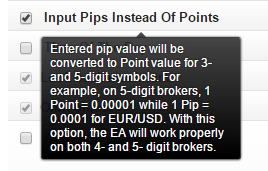
When you input Points in your conditions, your indicator or EA will behave differently on 4- and 5-digit brokers.
When you input Pips, the number of Pips always represents the same value.
Hover your mouse over any feature for a short explanation. Typically, you don't need to change the rest of the options.
